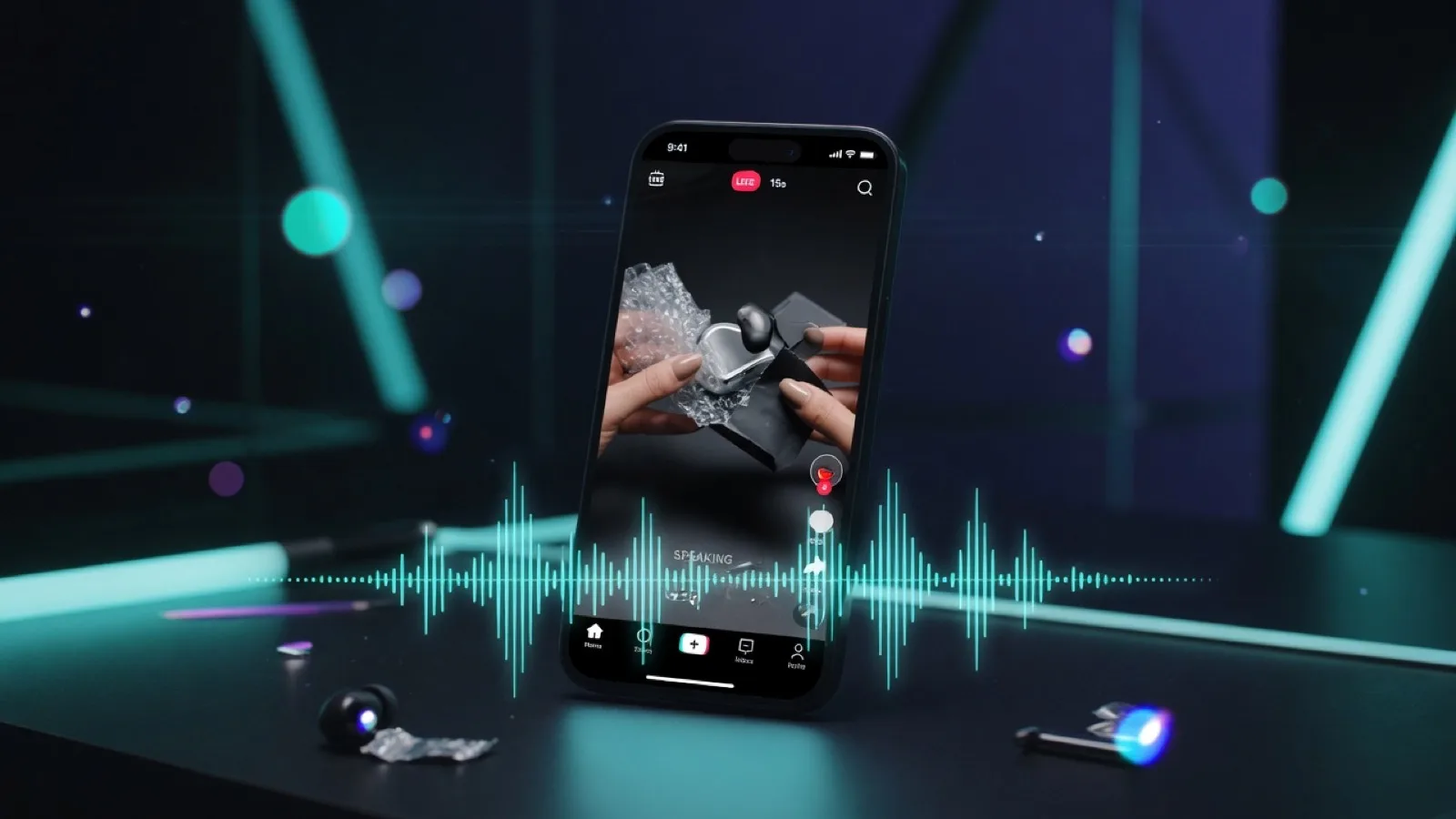
On July 31, 2026, Chinese AI company MiniMax officially launched MiniMax H3 — the third-generation model in its Hailuo video family, also known as Hailuo 3.0. First previewed at WAIC 2026 just two weeks earlier, H3 arrives with a clear ambition: not just to generate moving images, but to produce complete short-form audiovisual scenes — with native 2K resolution, synchronized sound, and up to 15 seconds of continuous footage in a single generation.
If you have been following the AI video space, you know the pace of progress has been relentless. New models arrive every few months, each claiming to push the boundary further. So what exactly does H3 bring to the table, and should you care? Here is everything you need to know.
What Is MiniMax H3 — in One Sentence
MiniMax H3 is a multimodal AI video-generation model that produces native 2K video at 24fps with built-in synchronized audio — dialogue, sound effects, and ambient atmosphere — from text prompts, images, or a combination of reference materials including video and audio clips.
It is a video model, not a text or coding model. MiniMax also released its M3 language model (for text, agents, and reasoning) at the same WAIC 2026 event, and the two are frequently confused online. H3 is squarely focused on video creation.
The Specs at a Glance
Before diving into what makes H3 interesting, here is the technical snapshot:
| Spec | Detail |
|---|---|
| Resolution | Native 2K (2560×1440) |
| Frame rate | 24fps (film standard) |
| Duration | 5–15 seconds per generation (extendable to ~30 seconds with the Extend tool) |
| Audio | Native stereo — dialogue, SFX, and ambience generated in one pass |
| Aspect ratios | 21:9, 16:9, 4:3, 1:1, 3:4, 9:16 (six options) |
| Input modes | Text-to-video, image-to-video (first/last frame), omni-reference-to-video |
| Reference limits | Up to 9 images + 3 video clips + 3 audio clips (12 files max per request) |
| Editing | Instruction-based editing on existing generations |
| Pricing | ~$0.13/second at 2K (a 5-second clip costs ~$0.65; a 15-second clip ~$1.95) |
Those numbers matter, but they only tell part of the story. The real question is what MiniMax H3 actually does with them.
Three Features That Define H3
1. Omni-Reference — Locking Character Consistency Across Shots
One of the most persistent pain points in AI video has been character consistency. Generate a woman walking through a café in one shot, and she may look like a completely different person in the next. Faces drift. Clothing changes. Voices shift.
H3 addresses this with what MiniMax calls Omni-Reference — a control system that lets you feed up to 9 reference images, 3 video clips, and 3 audio clips into a single generation request. The model reads all of these inputs as one unified context, extracting the character's face from a photo, borrowing camera motion from a video clip, and absorbing vocal tone from an audio sample.
The practical result: a character can appear in a wide shot, a close-up, and a profile view within the same 15-second generation — and look, move, and sound like the same person. For anyone producing serialized content, short films, or brand campaigns with recurring talent, this is a meaningful step forward.
A few tips for getting the most out of Omni-Reference:
- Use reference images with even lighting, a direct face angle, and no obstructions (hats, sunglasses, hair across the face).
- Pair image references with a clean audio clip to anchor both appearance and voice.
- Reuse the same reference set across generations to maintain consistency in episodic content.
2. Native Audio — From Silent Clip to Editable First Cut
Most AI video models to date have produced silent output. You get the visuals, and then you add sound in a separate step — dubbing dialogue, layering in sound effects, finding the right background music. It is a workflow that works, but it doubles the production time for every short clip.
H3 generates audio alongside video in a single pass. Dialogue lands on mouth movements. Glass cracks when it breaks. Rain hits the window while a character speaks. The timing is determined during the generation itself, not aligned after the fact.
This shifts the nature of the output. A silent AI video is a visual asset — useful, but incomplete. A video with usable sound is closer to an editable first cut. For short-form advertising, social content, and narrative scenes, that difference is significant.
That said, "native audio" does not automatically mean "perfect audio." The accuracy of dialogue, the quality of lip synchronization, the emotional delivery of a voice — all of these still need to be tested in practice. Early users have reported generally solid results, but as with any generative audio, edge cases and complex scenes may produce artifacts. The recommendation: treat the generated audio as a strong starting point, not necessarily a final deliverable.
3. Instruction-Based Editing — Refine Without Regenerating
This is a feature that may not sound flashy but could end up being one of H3's most practical advantages.
Imagine you generate a 15-second clip and it is 90% right. The framing is good, the lighting works, the character's performance is natural — but the jacket color is wrong, or the background needs to change. With most video models, your only option is to adjust the prompt and regenerate from scratch, hoping the new version preserves what you liked about the original.
H3 lets you describe the change in natural language and apply it to the existing generation. "Change the jacket to red." "Swap the background to a beach at sunset." "Speed up the pacing in the second half." The model modifies only the specified elements while preserving everything else — the framing, the lighting, the performance, the camera path.
For iterative creative work, this is a genuine workflow upgrade. It moves the process from "generate and hope" to "generate and refine," which is how professional creative production actually works.
How Does H3 Compare to Its Predecessor?
If you have used Hailuo 2.3, the previous generation, the jump to H3 is substantial. Here is a side-by-side comparison:
| Dimension | Hailuo 2.3 | MiniMax H3 |
|---|---|---|
| Resolution | 768p / 1080p | Native 2K |
| Max duration | ~10 seconds | 15 seconds (extendable to ~30s) |
| Reference input | Images only | Images + video + audio |
| Native audio | No | Yes — stereo, one-pass |
| Instruction editing | No | Yes |
| Pricing model | Per generation | Per output second |
| Aspect ratios | Limited | Six options (21:9 to 9:16) |
The resolution jump from 1080p to native 2K is not just a number on a spec sheet. "Native" here means the model renders at full 2K pixel density internally — the crisp detail is baked into the generation itself, not produced by a separate upscaling step. For content destined for large screens, retail displays, or high-resolution client deliverables, that distinction matters.
The duration increase is equally important in practice. Ten seconds covers a single moment or an opening hook. Fifteen seconds — with the possibility of multiple shots inside one generation — can contain an opening, a key action, a reaction, and a visual conclusion. That is the difference between a fragment and a scene.
How to Access H3 and What It Costs
H3 is available through multiple channels, depending on your needs:
Hailuo Official Website (hailuoai.video)
The simplest entry point for individual creators. Sign up, select H3, and start generating through a web interface. No API integration required.
EvoLink Unified API
For developers who want to integrate H3 into products or workflows. EvoLink provides three model IDs based on input type:
minimax-h3-text-to-video— generate from text promptsminimax-h3-image-to-video— generate from first/last frame imagesminimax-h3-reference-to-video— generate from multi-modal references
The API is asynchronous: you submit a task, poll for status, and download the resulting MP4. There is no cancel endpoint — if a task fails, you get a full refund.
Third-Party Platforms
OpenArt, Atlas Cloud, and other inference providers also offer H3 access through their own interfaces, often with unified API compatibility and pay-as-you-go pricing.
Pricing Breakdown
- Standard rate: ~$0.13 per output second at 2K resolution
- A 5-second 2K clip costs ~$0.65
- A 15-second 2K clip costs ~$1.95
- Reference images and audio do not add to the billable duration; reference video clips do
- Some early testers on the Hailuo platform have reported ~$1 for a 15-second 2K clip on basic subscription tiers — though this has not been officially confirmed
Compared to competitors: a 15-second 1080p clip on Seedance 2.0 reportedly costs around $4 on Dreamina's basic tier. If those numbers hold, H3 offers roughly 4× the resolution at a quarter of the price — a compelling cost-per-pixel proposition.
Who Is MiniMax?
For those less familiar with the company behind the model: MiniMax is a Shanghai-based AI lab and one of China's most prominent AI companies. The company completed a Hong Kong IPO in January 2026, reportedly raising approximately $619 million at a valuation of around $4 billion. Its backers include Alibaba and Tencent.
MiniMax's consumer video brand is Hailuo, which has built a reputation in the AI video community for strong physics simulation, fast generation speeds, and accessible pricing. H3 is the third numbered generation of the Hailuo family, following Hailuo 02 and Hailuo 2.3.
It is worth noting that H3 is a platform model, not an open-weight release. Unlike MiniMax's M3 language model (which has open-weight variants), H3 is accessed exclusively through APIs and the Hailuo platform. There is no indication that this will change.
Where Does H3 Fit in the 2026 AI Video Landscape?
The mid-2026 video model landscape is crowded and competitive. Here is a brief positioning map:
| Model | Developer | Standout Strength |
|---|---|---|
| MiniMax H3 | MiniMax | Omni-reference control, native audio, instruction editing, pricing |
| Kling 3.0 Pro | Kuaishou | Native 4K, strong motion and physics |
| Veo 3.1 | Google DeepMind | 48kHz high-fidelity dialogue |
| Seedance 2.0 | ByteDance | Multi-modal reference, audio integration |
| Wan 2.7 | Alibaba | Lip-sync, text/image/video/audio inputs |
| Runway Gen-4.5 | Runway | Established creative tooling ecosystem |
H3's pitch is not "highest raw fidelity" — Kling 3.0 and Veo 3.1 both push native 4K. Instead, H3 competes on the combination of control (Omni-Reference), completeness (native audio in one pass), iteration speed (instruction-based editing), and price. For many practical use cases — social ads, product videos, short narrative content — that combination may matter more than raw resolution alone.
One important note on the competitive landscape: OpenAI discontinued its Sora web and app experiences in April 2026, with the API scheduled to sunset in September 2026. Sora is no longer a viable option for new video workflows.
Frequently Asked Questions
Is MiniMax H3 the same as Hailuo H3?
Yes. "MiniMax H3" is the corporate branding; "Hailuo H3" is the product branding. They refer to the same model. "Hailuo 03" and "Hailuo 3" are also used interchangeably in some contexts.
Does H3 support 4K output?
No. The maximum output resolution is native 2K (2560×1440). If you need 4K, Kling 3.0 Pro or Veo 3.1 (for 8-second clips) are the current options.
How long can H3 videos be?
A single generation supports 5 to 15 seconds. Using the Extend Video tool, clips can be stretched to approximately 30 seconds.
Is H3 open-source or open-weight?
No. H3 is accessed through APIs and the Hailuo platform. It is not available as an open-weight model for local deployment.
Does every H3 video come with audio?
Yes. Every generation includes native stereo audio — dialogue, sound effects, and ambient atmosphere — produced in the same pass as the video.
Can I use H3 for commercial content?
Check MiniMax's current terms of service for the latest on commercial usage rights. The platform is designed with professional and commercial use cases in mind, but specific licensing terms may vary.
Is H3 available now?
Yes. H3 officially launched on July 31, 2026 and is accessible through the Hailuo platform, EvoLink API, and select third-party providers.
How does H3 handle tasks that fail?
Failed, expired, and rejected tasks receive a full refund. There is no cancel endpoint — once submitted, a task runs to completion or fails.
The Bottom Line
MiniMax H3 is not just an incremental upgrade over its predecessor. It represents a shift in what AI video models aim to deliver: not isolated moving images, but complete short-form audiovisual scenes with picture, sound, and editing control built in.
The native 2K resolution puts it in a different quality tier than most of the 1080p competition. The Omni-Reference system offers unusually generous control over character and style consistency. The native audio generation eliminates a separate post-production step for many short-form workflows. And the instruction-based editing capability changes the iteration model from "regenerate and hope" to "describe and refine."
It is not the right tool for every job. If you need 4K output, shots longer than 15 seconds, open-weight deployment, or 48kHz broadcast-quality dialogue, other models currently serve those needs better. But for the growing majority of AI video use cases — social ads, product showcases, short narratives, music visuals, creative pre-visualization — H3 offers a compelling combination of quality, control, and cost that is hard to ignore in mid-2026.
The best way to judge it is to test it yourself. Write a prompt you care about, generate a few variations, and evaluate the output against your own standards. Spec sheets and reviews can point you in the right direction, but nothing replaces seeing the results with your own eyes. For a deeper dive into H3's capabilities, examples, and latest updates, you can also explore minimaxh3.art.
参考资料
- OpenArt: <https://openart.ai/ai-model/minimax-h3/>
- 科创板日报: <https://www.cls.cn/detail/2442143>
- DeeVid Review: <https://deevid.ai/blog/minimax-h3-review>
- OrcaRouter Explained: <https://www.orcarouter.ai/blog/minimax-h3-hailuo-3-explained>
- Kie.ai Guide: <https://kie.ai/blog/what-is-hailuo-h3>
- EvoLink: <https://evolink.ai/zh/hailuo-3>
- Atlas Cloud: <https://www.atlascloud.ai/zh/models/minimax-h3>