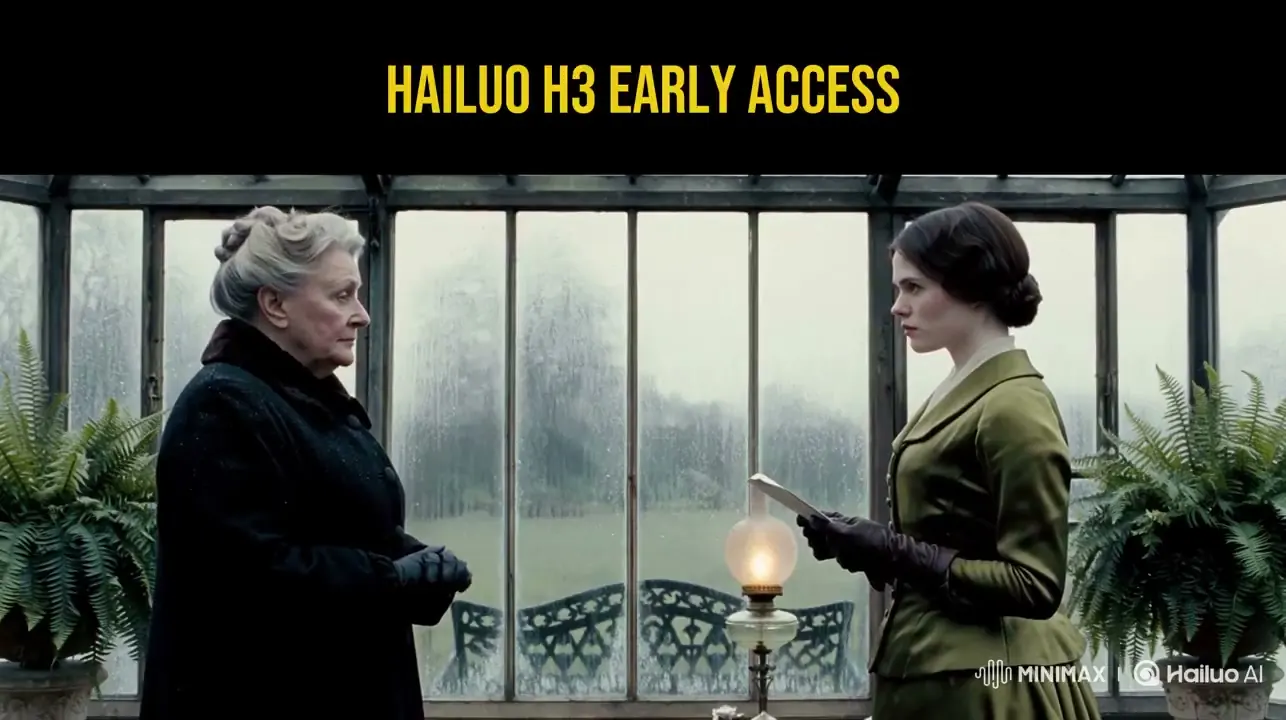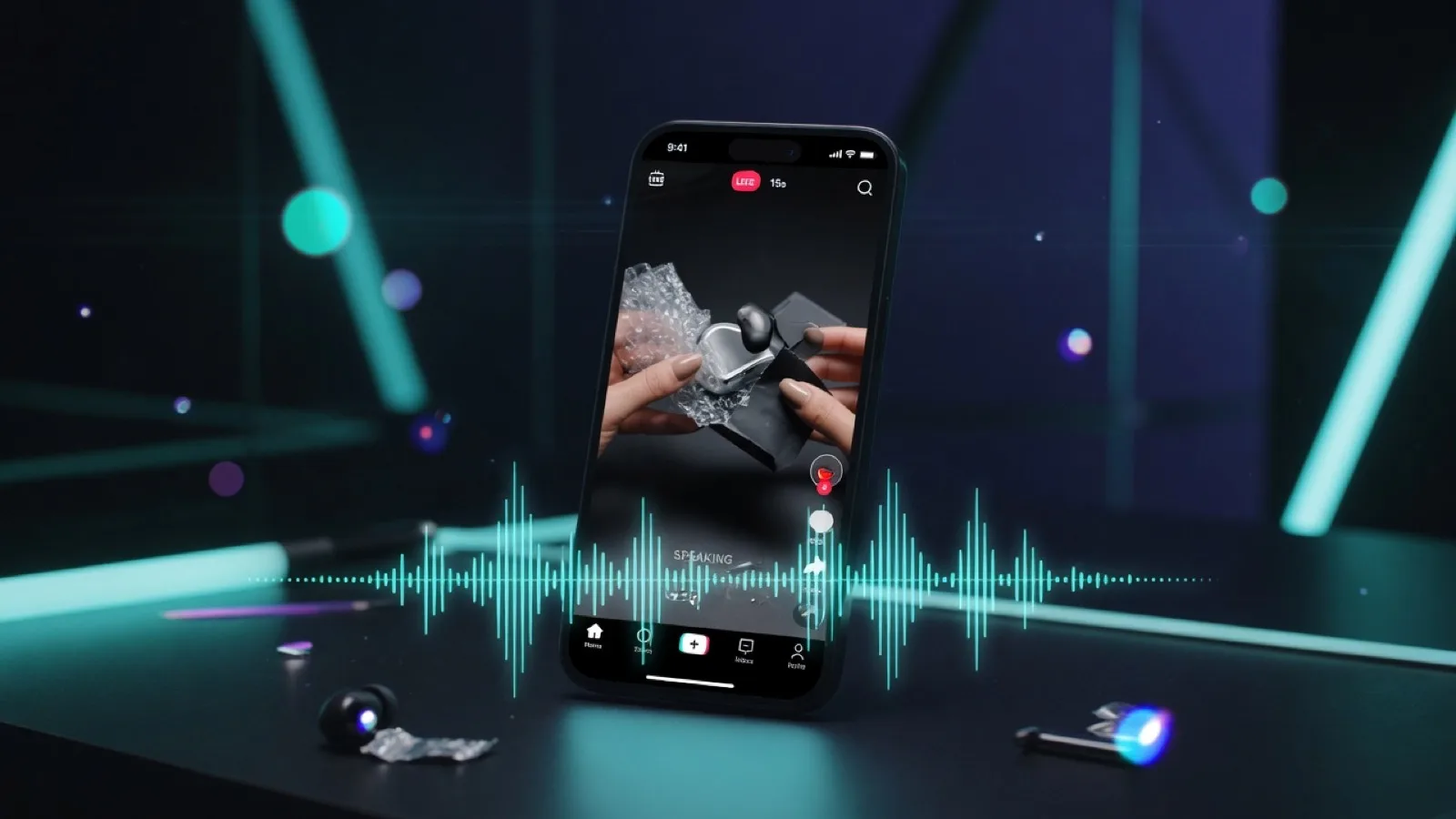
Faceless UGC is short-form, creator-style content that communicates through hands, products, screens, environments, narration, text overlays, or point-of-view footage—without the creator’s face on camera. Use the term carefully: content made and shared by a real customer or independent creator may be true user-generated content. Content a brand scripts, generates, or publishes is more accurately UGC-style (or creator-style) creative.
A 15-second clip is enough when the job is narrow: stop the scroll, show one benefit or mood, and deliver one call to action. It is not enough for every product or funnel stage. TikTok-style in-feed creative usually follows hook → body → close, with the value proposition in the first few seconds and a clear CTA at the end. Many placements work well in the 9–15 second range.
The strongest default for most teams is hybrid, not “AI only”:
| Creative requirement | Best default |
|---|---|
| High trust, real testimonial, unboxing, tactile demo, live event, safety-sensitive operation | Real-person filming (can still be faceless: hands, POV, off-camera voice) |
| Rapid hook testing, multiple copy angles, metaphors, atmosphere, concept exploration | AI-generated 5 / 10 / 15 second clips |
| Approved product photo, package, or hero still that must stay recognizable | Image-to-video |
| No source still; concept generation rather than exact product proof | Text-to-video |
| Performance ads that need both scale and credible product proof | AI opening hook + real product insert |
In MiniMax H3 Studio you can generate short clips with text-to-video or image-to-video, including native audio (dialogue, sound effects, and atmosphere timed to the picture). Practical durations on the studio are 5, 10, and 15 seconds at 2 credits per second (10 / 20 / 30 credits). Always confirm live options on the pricing page.
No duration, prompt, or caption style guarantees virality. Treat every render as a testable creative hypothesis: produce several different openings, keep product claims truthful, and measure what retains the right viewers.
What faceless UGC means—and when real filming still wins
Faceless format removes the need to show a face. It does not remove the need for a human perspective. Faceless work can include:
- Hands opening or using a product
- Over-the-shoulder or first-person POV
- Screen recordings and cursor demos
- Product close-ups with off-camera narration
- Tabletop, stop-motion, or environmental scenes
- AI-generated illustrative scenes with clearly non-testimonial voiceover
- Text-led comparisons backed by real product footage
The important split is format vs provenance. A vertical clip with handheld motion and casual captions can look like UGC. If a brand generated and published it, do not present it as an unsolicited customer review. “UGC-style” or “creator-style” is the honest label.
When real-person footage is stronger
Platform creative guidance still favors native, authentic videos—real people, real product-in-action, real movement and sound—especially for performance ads.
Real filming is usually better when viewers need to judge:
| Trust need | Why film |
|---|---|
| Tactile feel | Weight, texture, flex, fit, scale, real sound |
| Unboxing | Real seals, inserts, accessories—no invented contents |
| Testimonial credibility | A consenting real person describing a real experience |
| Product operation | Controls and mechanisms as they actually work |
| Compliance trail | Releases, samples, scripts, claim support on file |
| Live context | Stores, events, workshops—what actually happened |
Filmed content is not automatically truthful. Scripted actors, over-edited demos, and unsupported claims still create risk. Endorsements must be honest; material connections (payment, free product) need disclosure where they would affect how viewers judge the message.
Where MiniMax H3 AI video is genuinely useful
Text-to-video and image-to-video shine when the output is a creative proposition, not documentary proof:
- Ten different openings around one approved claim
- Question hooks vs statement hooks
- Abstract frustrations (clutter, delay, overload) as visual metaphors
- Seasonal or mood variations
- Turning an approved product still into controlled motion
- Exploring camera moves before a physical shoot
- Localizing narration or on-screen language
- Filling top-of-funnel with visually distinct concepts
H3 supports prompt-led generation, image-anchored workflows, and synced speech—so you can explore ideas quickly and still review every frame before publish.
The useful team question is not “Can AI replace UGC?” It is: Which parts need evidence, and which parts only need attention, illustration, or variation?
Why fifteen seconds works for a focused hook
Fifteen seconds forces discipline: long enough for one micro-argument, short enough to kill filler.
The 5 / 10 / 15 second system (MiniMax H3 Studio)
| Length | Credits (2/s) | Best use | Content focus |
|---|---|---|---|
| 5s | 10 | Hook screening | One visual interrupt + one short spoken line + product or problem cue |
| 10s | 20 | Hook + proof beat | Opening + one visible demo + compact CTA |
| 15s | 30 | Complete micro-ad | 1–2s stop-scroll → 8–11s demo → 2–3s CTA |
Test uncertain ideas at 5 seconds before spending credits on full 15-second cuts. Open the studio when you are ready to generate.
Voiced-hook structure (15s)
0–2s — Stop the scroll Problem, visual contradiction, unexpected motion, outcome preview, or a sharp question. No greetings, logo intros, or “in this video.”
2–12s — Demonstrate One product action, interface step, contrast, transformation, or mood. Narration should match what the viewer can see.
12–15s — CTA Clear next step without fake urgency. Prefer “See how it works,” “Compare options,” or “Try it in the studio” over unsupported scarcity.
Spoken length: about 22–32 English words for a 15s clip—an editorial constraint so the voice can breathe and captions stay readable.
Sample 15-second storyboard
| Time | Visual | Spoken line | Caption |
|---|---|---|---|
| 0.0–1.5s | Chaotic desk; objects slide in | “Still rebuilding every product video from zero?” | Every hook. From zero? |
| 1.5–4.0s | Product still snaps into a clean vertical frame | “Start with one approved image.” | Use an approved still |
| 4.0–10.5s | Push-in as product rotates; background shifts | “Animate motion, setting, and voice for each angle.” | Motion + setting + voice |
| 10.5–13.0s | Three variations in sequence | “Filter the strongest versions.” | Generate → review → shortlist |
| 13.0–15.0s | Simple end card | “Then add captions and test.” | Build your next batch |
Synced speech in a faceless clip means narration, SFX, or atmosphere is timed to the action. It does not require an on-screen talking face or perfect lip sync. MiniMax H3 generates audio in the same production pass as the picture, which is ideal for hooks and ambient product demos.
Choosing real filming, text-to-video, or image-to-video
Scenario table
| Scenario | Method | Length | Why | Caution |
|---|---|---|---|---|
| Customer testimonial | Real consenting customer/creator | 15–45s+ | Real experience | Disclose paid/free product; don’t over-script |
| Founder story | Real person | 15–60s+ | Identity is the message | Keep claims accurate |
| Unboxing | Real hands (faceless OK) | 15–45s | Real packaging and parts | Don’t replace evidence with AI reconstruction |
| Live store/event | Real footage | As needed | Proof of occurrence | Permissions |
| Fit, texture, sound, ergonomics | Real demo | As needed | Sensory truth | Don’t over-edit results |
| Five hook concepts before shoot | Text-to-video | 5s each | Fast exploration | Treat as concept footage |
| Abstract pain point | Text-to-video | 5–10s | Metaphor speed | No invented customer outcomes |
| Lifestyle mood variants | T2V or I2V | 10–15s | Settings & seasons | Don’t imply a real customer life |
| Approved hero still needs motion | Image-to-video | 10–15s | Identity & layout control | Check logos/text frame by frame |
| Packaging must stay recognizable | I2V + real inserts | 10–15s | Source anchors the brand | AI can warp small text |
| High-volume hook testing | AI 5/10/15s with voice | Batch | Variation at speed | Change one major variable at a time |
| Trust + speed | Hybrid | 15s | AI open + real proof | Make the cut coherent |
> High-trust unboxing / live proof → film. > High-volume hooks and mood → MiniMax H3 5–15s voiced clips. > Real film can still be fully faceless.
When to use text-to-video
Use text-to-video when:
- The idea starts from a blank page
- Exact package/logo fidelity is not required
- The scene is metaphorical, atmospheric, or fictional
- You need many settings or camera concepts
Avoid pure T2V as the first choice when a legal label, package claim, or precise UI must match reality. Always validate text and branding in the output.
When to use image-to-video
Use image-to-video when:
- You have an approved product photograph
- Color, packaging, or composition should start from a known frame
- You want camera motion more than a full scene redesign
- The same product must appear across several hooks
An input image improves control; it does not freeze every pixel. Inspect hands, labels, hinges, proportions, and surface interaction before export.
Prompt templates (product, lifestyle, pain-point)
Core pattern:
> Subject or source + exact action + camera + environment/light + audio event + exact spoken line + timing + constraints.
For faceless work, say whose face stays off-screen. For speech, use one short quoted line unless you truly need multiple speakers.
Product
| Length · mode | Template |
|---|---|
| 5s · T2V · Feature hook | Vertical 9:16 faceless product hook. Extreme macro of [product category] on a clean [surface]. In the first 0.5s, [distinctive moving part/action] happens immediately. Quick handheld push-in, realistic materials, natural commercial light. Off-camera narrator says exactly: “[6–10 word hook].” One subtle [click/snap/pour] SFX. No visible face, no extra products, no invented logos, no unreadable text. |
| 10s · I2V · Hero still | Animate the uploaded approved product image without redesigning the package. Vertical 9:16. Keep the original composition, then a slow ~15° orbit while [product-safe motion] occurs. A hand may enter from the lower edge only; no face. Narrator: “[problem]. [verified benefit].” Preserve logo, color, proportions. No extra badges or claims. |
| 15s · I2V · Hook–demo–CTA | 15s faceless vertical demo from the uploaded image. 0–2s: close-up of [detail], narrator “[hook].” 2–11s: one clear use action—[step] then [visible result]—restrained camera, realistic sound. 11–15s: clean product frame, narrator “[non-promissory CTA].” Preserve approved branding. No testimonial language, no face, no exaggerated before/after. |
| 15s · Hybrid plan | Generate only a fictional open + transition for a 15s vertical ad. 0–2s: metaphor for [problem], narrator “[hook].” 2–5s: cut to a neutral empty tabletop matching [real footage plate]. Leave 5–15s simple for real product footage. Do not fabricate the real branded product. |
Lifestyle
| Length · mode | Template |
|---|---|
| 5s · T2V · Mood | 5s vertical lifestyle hook, faceless POV in [setting]. Immediate motion: [curtain / bag / light / rain]. Natural ambience, understated cinematic light. Narrator: “[short mood hook].” No faces, no logos, no claim of a real customer experience. |
| 10s · T2V · Routine | Vertical faceless daily routine. 0–2s: [friction] interrupts. 2–8s: scene calms as [generic action] happens. 8–10s: clean end frame. Off-camera: “[relatable question]. [simple benefit line].” No impossible transformation, no identifiable person. |
| 15s · I2V · In context | Use uploaded approved lifestyle still as first frame. 15s vertical with subtle motion: [steam / fabric / sunlight / hand]. Faces out of frame. 0–2s: “[hook].” 2–12s: “[one use case + verified benefit].” 12–15s: “[CTA].” Preserve product shape and label; no invented reactions. |
| 15s · T2V · Montage | Coherent 15s faceless montage in three ~5s beats: [morning], [work/travel], [evening]. Same generic unbranded object. Ambient sound connects scenes. One continuous narration line (~25–30 words). 9:16, natural pace, no faces, no testimonial claims. |
Pain-point
| Length · mode | Template |
|---|---|
| 5s · T2V · Frustration | Vertical 5s stop-scroll of [pain]. Start clear: [cables / tabs / piles]. Fast readable motion. Narrator: “[short problem question].” End before the solution. No fearmongering, no health/safety implication. |
| 10s · T2V · Problem → relief | 10s vertical. 0–2s: [frustration]. 2–7s: one simple organizing action. 7–10s: calm end. Narrator: “[hook]. [plain solution category].” No guaranteed time/money savings. |
| 15s · I2V · Product solution | Animate approved product still, 15s faceless. 0–2s: cue for [pain], “[hook].” 2–11s: one verified function that addresses it. 11–15s: product + CTA. Logos/text faithful to source. No fake reviews, no medical outcomes. |
| 15s · T2V · Contrarian | Faceless vertical concept. Open on inefficient [workflow]. Narrator: “You may not need more [category]; you may need less [friction].” Show a simple alternative. End with “[educational CTA].” No competitor branding, no unverified superiority. |
Useful negative constraints (keep short)
> No visible face, no celebrity resemblance, no real-person impersonation, no fabricated testimonial, no altered brand claim, no extra logo, no unreadable package text, no impossible product function.
Constraints improve clarity; they do not replace frame-by-frame QA.
Batch workflow for small teams
Batching is not “render 50 near-duplicates.” It is testing deliberate variables with a review trail.
Spreadsheet fields
| Field | Example |
|---|---|
| Creative ID | P01-HOOK-B-05 |
| Audience | Freelance designers |
| Funnel stage | Cold awareness |
| Approved claim | “Organizes project feedback in one place” |
| Evidence source | Product docs / brief |
| Hook family | Question |
| Hook copy | “Still collecting feedback from five apps?” |
| Mode | T2V / I2V / hybrid / real |
| Source asset | Hero image v4 |
| Duration | 5 / 10 / 15 |
| Spoken script | Exact approved words |
| Visual variable | Desk clutter |
| Fixed elements | Product color, CTA |
| AI disclosure | Yes / no / review |
| Rights | Cleared / pending / rejected |
| Status | Draft / shortlist / reject |
| QA notes | Logo drifted at 00:07 |
| Result | Hold, complete, click, conversion |
Production flow
- Write the claim before the prompt — facts vs creative language.
- Three different hooks — e.g. question, contradiction, outcome preview.
- Generate 5s concepts first — kill weak ideas early.
- Pick T2V or I2V by asset fidelity — I2V when the still matters.
- Review with sound on and off — captions should carry the message.
- Filter hard — packaging, anatomy, motion, pronunciation, product behavior.
- Only shortlist → 10s or 15s.
- Add captions/covers outside generation when typography must be perfect.
- Human review for claims, rights, and platform rules.
- Log results against the hypothesis — not “AI worked” from one lucky render.
What to measure
Optimize for qualified attention, not vanity views:
- Early retention / first-frame hold
- ~6s and full-view rates
- Qualified clicks
- Comments that show comprehension
- Landing-page behavior
- Conversion quality, refunds, support tickets
- Fatigue by hook family
Compliance checklist (ads & AI labels)
AI disclosure vs commercial disclosure
- Commercial disclosure: Is this promoting a brand, product, or service?
- AI disclosure: Was realistic media generated or heavily modified with AI?
Platforms such as TikTok often require both when ads are AI-generated or significantly AI-modified. One label does not replace the other. Disclosure does not fix a false claim.
Do not fake testimonials
Do not present an AI person as a real customer with a real experience. Safe framing:
> “AI-generated product illustration of the intended use case.”
Unsafe:
> “I used this for thirty days and it changed my life,” from an invented customer who never used the product.
If you dramatize a real review, you need permission, accurate meaning, and clear context—labels like “dramatization” do not fix a false claim.
Rights and assets
Only use photos, footage, logos, stock, music, voices, and likenesses you own or have licensed. Keep source files, releases, claim approvals, prompts, final scripts, and publish dates.
No medical or health outcome claims in this workflow
Do not use AI to invent swelling reduction, pain relief, skin change, weight change, diagnostics, or similar outcomes. Health claims need proper substantiation; “results may vary” does not fix an unsupported claim.
FAQ
Is faceless UGC “real” UGC? It can be—if a real customer or creator made it. Brand- or AI-made imitations should be labeled UGC-style or AI-generated product content, not spontaneous customer proof.
Can real UGC be faceless? Yes. Hands-only, POV unboxing, screen recordings, and off-camera voice keep privacy while staying documentary.
Is 15 seconds always better than longer? No. Use 15s as a focused hook-and-demo unit. Use longer forms for education, trust, and complex products.
Which duration should we generate first? Start at 5s when the visual idea is uncertain; 10s for one proof beat; 15s for full hook + demo + CTA.
T2V or I2V for product ads? I2V when an approved still must anchor the brand. T2V for concepts and metaphors. Film when viewers must judge the real product.
Does synced speech need an on-screen speaker? No. Off-camera narration timed to action is often safer for faceless work.
Can AI replace unboxing? Not when contents, seals, or real operation matter. AI can open the hook; evidence should usually be filmed.
Can an AI avatar read a real review? Only with permission, accurate wording, and context so viewers do not think the avatar is the original customer.
Does labeling AI kill performance? Results vary. Labeling is compliance and trust—not an optional growth hack.
Does this workflow guarantee virality? No. It improves discipline and test volume. Distribution still depends on audience, offer, timing, media, and the creative itself.
Start in MiniMax H3 Studio
- Build prompt-led concepts with Text-to-Video
- Animate an approved still with Image-to-Video
- Open the browser studio for 5 / 10 / 15 second generations
- Check credits and plans on Pricing
Related reading: How to use MiniMax H3 · Best use cases · H3 vs Kling & Seedance